AI Motion Graphics: A Practical Guide for Marketers
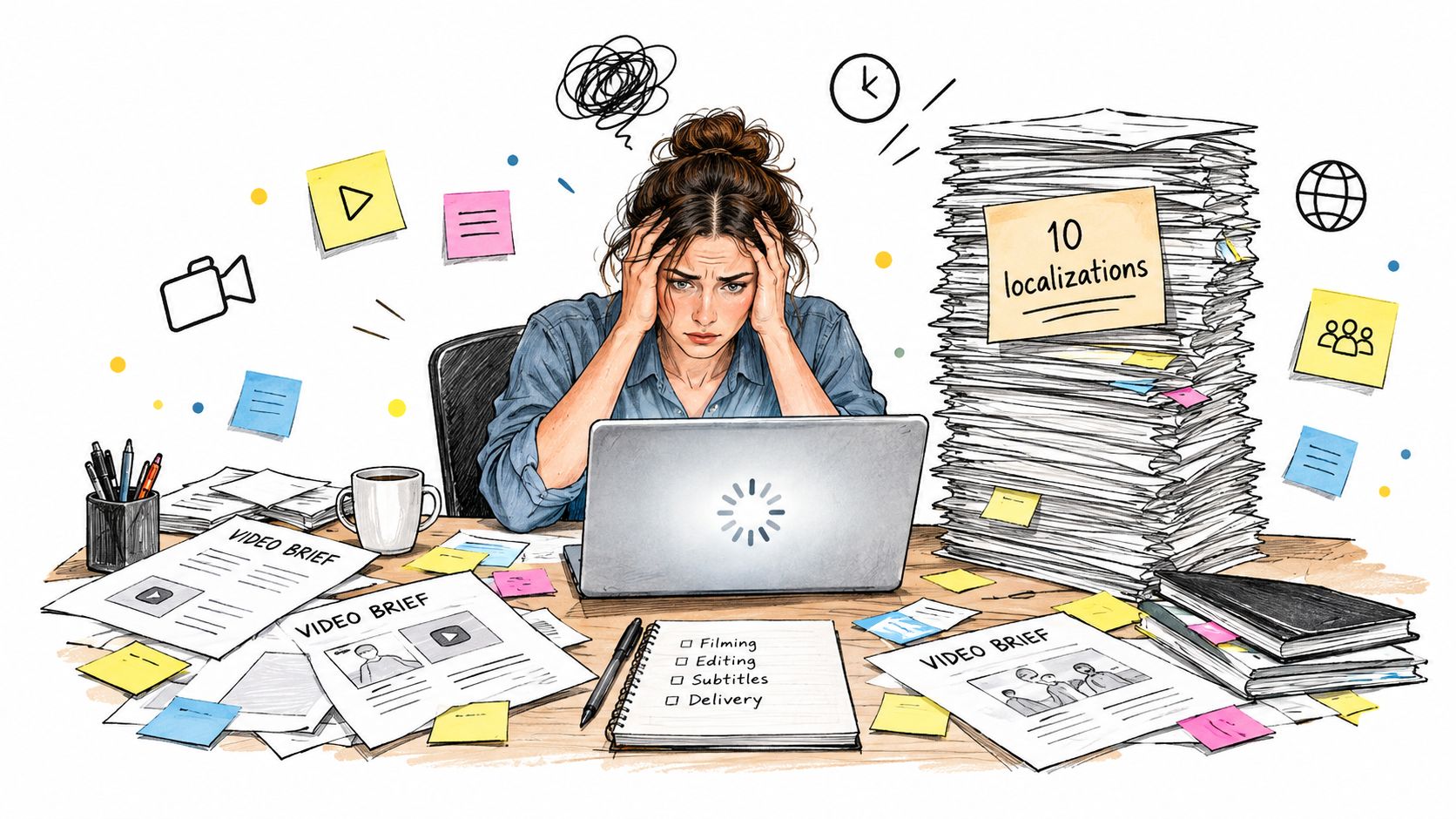
The launch brief looked manageable on Monday: one product, one polished video, a few social placements. By Wednesday, the team needs versions for different audiences, markets, aspect ratios, and offers. The designer is duplicating timelines, the marketer is chasing translated copy, and every revision risks nudging a logo, color, or product detail out of place.
That’s the practical reason to explore AI motion graphics. The promise isn’t that a model can make something move. It’s that a team can build a governed production system for generating, checking, and assembling variations without treating every output as an unreviewed final.
Table of Contents
- The Moment an Old Video Pipeline Stops Scaling
- What AI Motion Graphics Actually Are
- How an AI Motion Graphics Workflow Actually Runs
- Why Long-Form AI Motion Graphics Still Break
- The Two Governance Layers Most Teams Skip
- Tools and Where CreativeClaw Fits in the Stack
- Where to Start and How to Measure Progress
The Moment an Old Video Pipeline Stops Scaling
Video pipelines rarely break at the concept stage. They break at the variation stage.
A single hero film is manageable because every decision is made once: timing, titles, product angles, transitions. Ask that same film to exist as twelve audience and format versions and each decision gets made again, on separate timelines, often by different hands. It works like printing one poster versus printing that poster in twelve languages. The design is settled, but the production work multiplies.
The hidden cost sits in coordination. A motion designer spends afternoons resizing layouts and re-checking exports instead of shaping movement. Reviewers leave corrections in chat threads and email, so nobody is fully certain which logo file, product shot, or copy line is the approved one. Repetitive versioning is the kind of work worth automating. Judging what a cut says and how it moves is not.
Generative systems can produce AI ad variations for specific audiences, styles, and contexts from one shared creative direction. A fast first draft is still a draft, though. Someone has to confirm the message, the motion, the product details, and the accessibility of every export before it ships.
The scale of this shift is already measurable. In the IAB’s 2025 report on generative AI in video advertising, 86% of digital-video buyers were already using or planning to use generative AI for video-ad creative, and the report projects the share of AI-created or AI-enhanced video ads could reach 39% by 2026. Those figures describe a production change, not a handover of creative judgment. The teams that benefit treat versioning as a governed pipeline: automate the repetitive edits, keep people accountable for meaning and motion.
What AI Motion Graphics Actually Are
A still image is a single visual decision. Motion graphics are a chain of decisions that must stay coherent over time: where the product sits, how the title enters, what the camera does, and whether the same object still looks like itself a second later. AI motion graphics use generative systems to create or modify those sequences under visual, brand, and movement constraints.
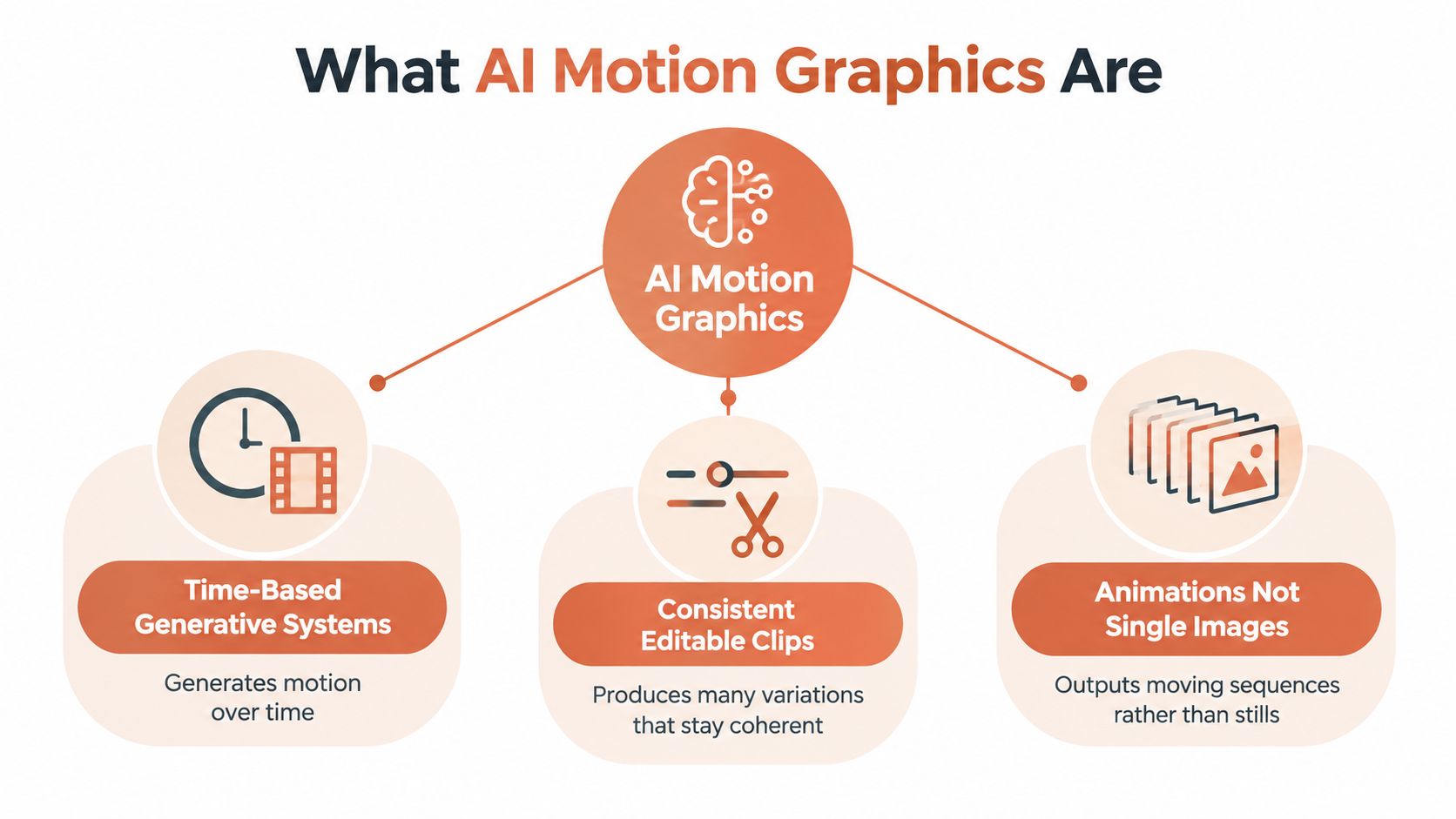
The difference matters more than it sounds. A text-to-image model answers one question: does this frame look right? A video system answers a harder one: do these frames agree with each other? It can produce attractive movement while drifting the package shape, shifting text, or breaking a camera move. Judging a sequence means watching the whole clip, never just picking the prettiest frame.
The IAB report cited in the previous section also breaks down what teams generate. Audience-specific versions accounted for 42% of reported generative-AI video-ad use cases, visual or style changes for 38%, and contextual adaptations for 36%. The practical takeaway: versioning is the workload, so evaluate tools on how well they handle variation.
On outcomes, an MIT Initiative on the Digital Economy research brief reported that AI-personalized videos produced customer engagement 6–9 percentage points higher than personalized image ads and generic video ads in the summarized experiment, and that generative AI could reduce video-ad production costs by approximately 90% (MIT Initiative on the Digital Economy research brief). One experiment is no guarantee for every campaign, but it supports treating generative motion as a production capability worth governing.
That framing changes how you evaluate vendors. A demo reel only shows output. Ask whether the system preserves approved references across revisions, supports review and re-generation against a brief, and records what changed between versions. For a small business comparing options, Adwave for small business ads is a useful point of reference.
How an AI Motion Graphics Workflow Actually Runs
Treat the pipeline as four hand-offs. Each stage needs a named owner and a clear output, so a fast generation doesn’t become an unclear review problem.
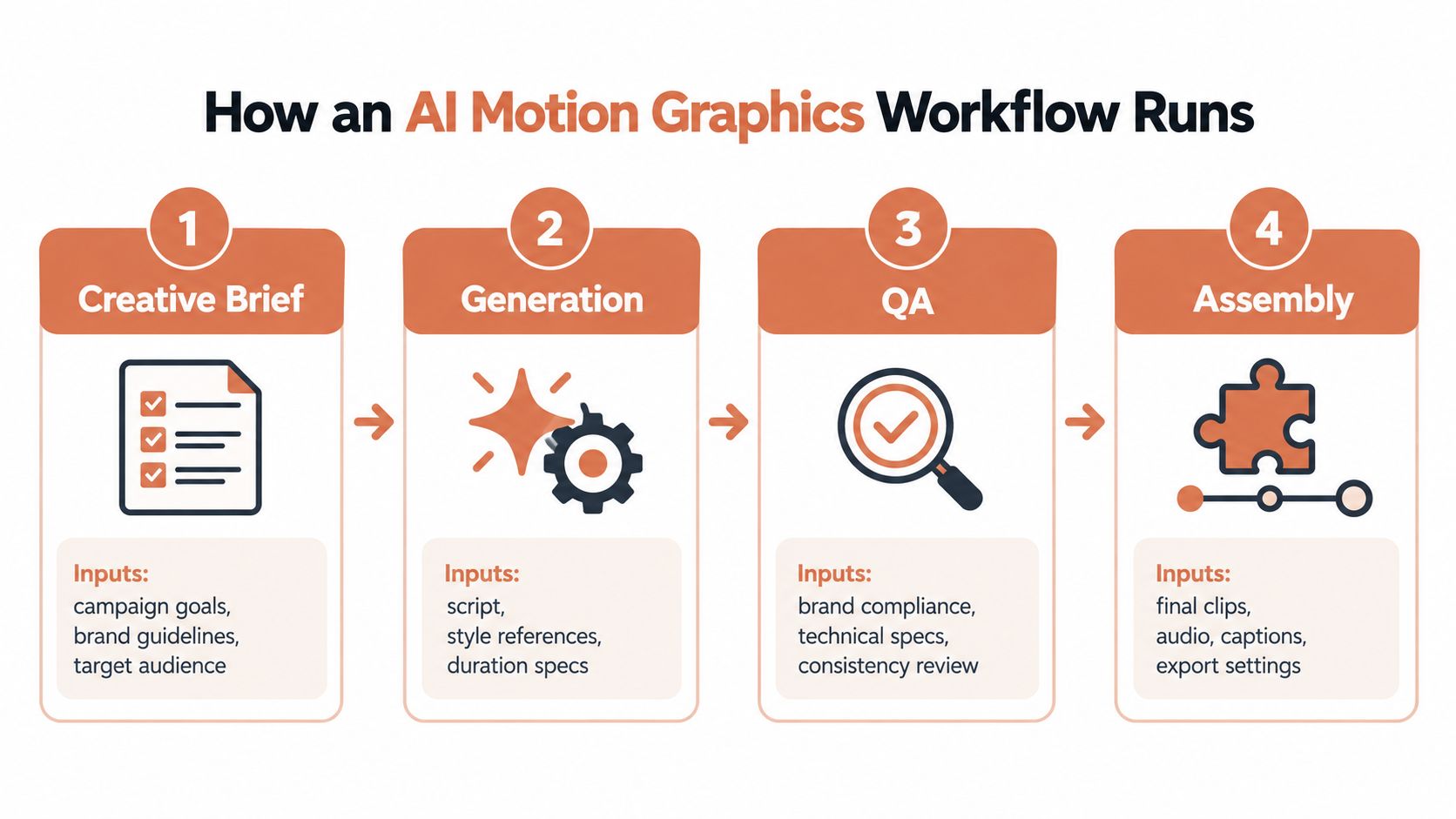
Start with a brief the model can’t misread
The campaign owner defines the objective, audience, offer, required message, and placement. The creative lead adds approved brand references and explains the motion intent in plain terms: for example, “keep the product centered, reveal the headline after the lid opens, and don’t rotate the package.” The hand-off is a brief that distinguishes fixed requirements from areas where experimentation is welcome.
Don’t leave product truth inside a mood board. Include an approved product image, accurate packaging references, confirmed copy, and any claims that need substantiation. The model can help explore treatments; it can’t decide which claims the business can support.
Generate options against the brief
The producer or designer selects a model suited to the asset, then generates a small set of options anchored to the approved references. Prompts should describe the scene, desired movement, camera behavior, and what must remain unchanged. If the tool supports saved brand or character references, attach them rather than relying on a text description alone.
The clean hand-off is a set of labeled candidate clips, with prompts and source assets retained. That history makes it easier to reproduce a useful result or understand why a version drifted.
Review motion and meaning, not just the thumbnail
A designer and brand reviewer inspect the sequence for product accuracy, legible text, consistent identity, and stable movement. They should watch at the intended delivery frame rate, not just skim a contact sheet. A pretty opening frame doesn’t prove that the rest of the clip is usable.
Assemble the approved asset
An editor or producer selects the approved generation, trims and joins clips, adds final typography and audio, checks captions, and exports platform-specific files. A property-marketing team comparing repeatable video processes may also find this property video automation overview useful as a reference point for thinking about structured production and hand-offs.
The output isn’t merely an MP4. It’s the approved asset plus enough source information for the team to review, revise, and reuse it responsibly.
Why Long-Form AI Motion Graphics Still Break
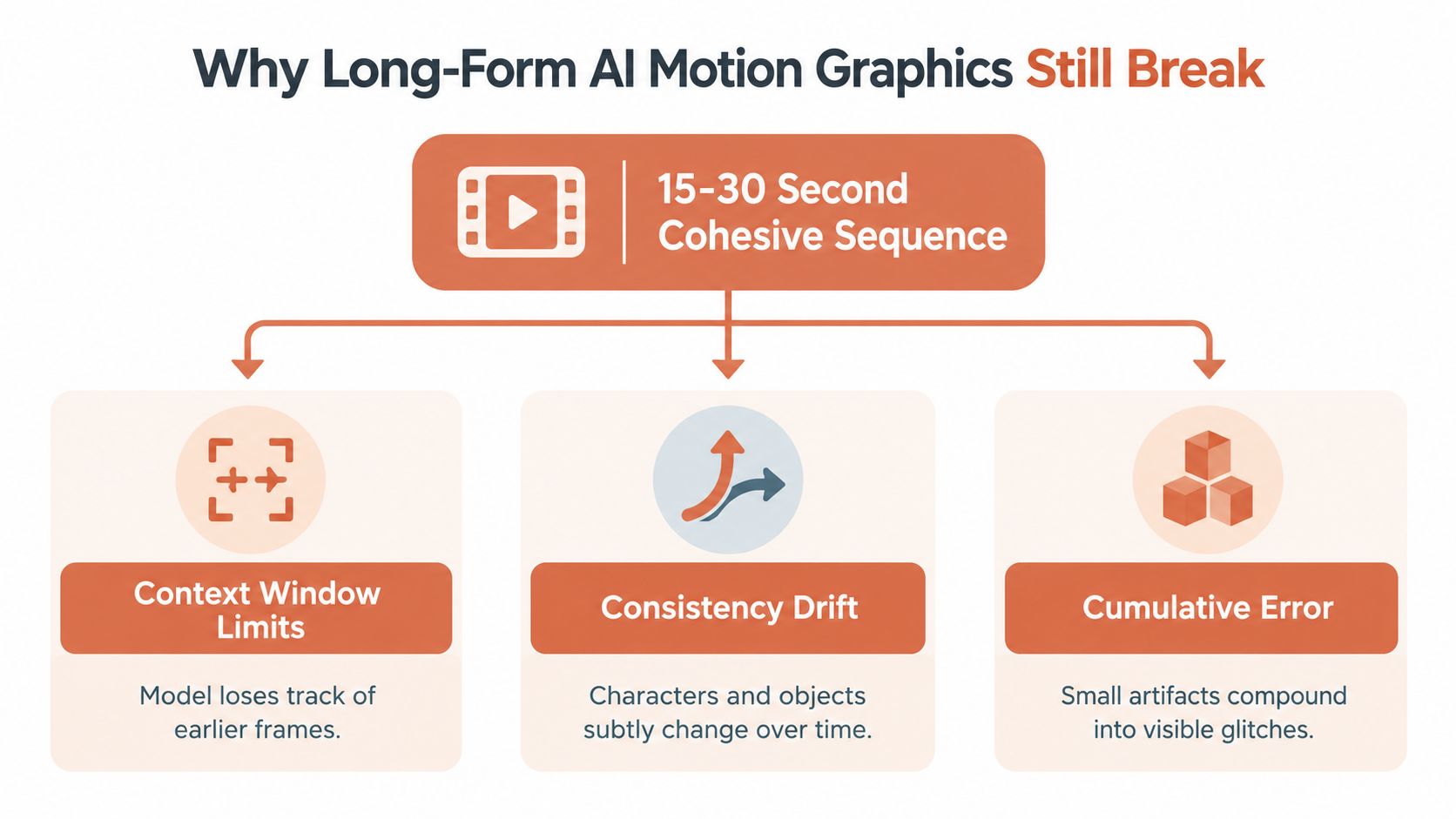
A short clip can look convincing while a longer sequence loses its identity. The reason is temporal: a system has to preserve scene details across many frames, including object geometry, lighting, character identity, and the camera’s relationship to the scene. Each frame depends on what came before, so a small visual change can grow into a visible continuity error.
Research on long-term video consistency describes the challenge of maintaining scene state over extended sequences. Work using procedurally rendered 3D mazes, Minecraft environments, and indoor scans reports limitations in long-range consistency; its proposed TECO model improved long-term consistency while reducing sampling time (research on temporally consistent transformers). For a marketing team, the takeaway is straightforward: don’t expect a model to hold every product detail perfectly through one long, continuous generation.
AIGCBench offers a useful way to think about review. It defines 11 metrics across four production dimensions: control–video alignment, motion effects, temporal consistency, and overall video quality (AIGCBench evaluation framework). In practical terms, reviewers should check whether the output follows the brief, whether the movement works, whether details stay stable from frame to frame, and whether the clip looks and feels finished.
Practical rule: Review the sequence, not the poster frame.
For product packs, logos, interfaces, and text-heavy ads, prioritize stable identity and reference alignment over energetic movement. A lively camera move can make an abstract background feel more dynamic, but the same movement may distort a product label. For longer work, generate short shots around one clear action, anchor each shot to an approved reference frame, constrain the camera, and assemble the approved clips in an editor. Deterministic editing gives the team control over timing and cuts while reducing the risk that small generation errors accumulate across the whole sequence.
The Two Governance Layers Most Teams Skip
Motion review asks whether a clip looks and moves as intended. Governance asks whether people can use it and whether the content remains true to the brand. These are parallel approval layers, not final checks to squeeze in after the edit.
Accessibility and disclosure involve more than placing an AI label on screen. Research on indicators for AI-generated content found that screen readers didn’t reliably read captions embedded in videos, and blind or low-vision participants were often unaware of AI disclaimers (research on AI-generated-content indicators). A visible label can therefore miss users who rely on assistive technology. Caption tools also need human review for speaker identification, meaningful sound effects, and music cues, not just spoken words.
Brand and product fidelity start with approved reference images, packaging, colors, logos, and copy. A generation can imitate a general visual style while changing a product detail or introducing an unsupported claim. Use a brand kit as controlled source material, then compare the output against those references before approving media spend. For teams defining reusable brand themes, the brand themes walkthrough can help frame how approved visual rules should be organized.
| Layer | What to test | Failure mode caught | Who owns it |
|---|---|---|---|
| Accessibility and disclosure | Review captions, contrast, text timing, motion safety, audio description needs, and whether disclosure is available beyond embedded text. Check localized versions with a fluent reviewer. | A label is visible but inaccessible, captions misrepresent speech, or fast motion and low contrast make content difficult to use. | Accessibility reviewer, editor, and localization lead |
| Brand and product fidelity | Compare frames with approved product references. Verify package geometry, colors, logos, characters, and each claim against an approved source. | The product changes shape or color, a logo drifts, or generated copy implies an unverified benefit. | Brand owner, product marketer, and legal reviewer where needed |
Give both layers explicit approval criteria. A launch-ready asset should pass motion review, accessibility and disclosure review, and brand and product review. If a reviewer can’t explain what passed and who approved it, the workflow isn’t governed yet.
Tools and Where CreativeClaw Fits in the Stack
A marketing team doesn’t need one tool to do everything. It needs a workable combination: a way to direct generation, models suited to different assets, and an editing environment where people can correct timing and finish the deliverable. The right choice depends on whether the job calls for generated footage, designed text and shapes, audio, or precise frame-level adjustments.
CreativeClaw is an MCP-connected orchestration layer that connects AI assistants such as Claude, ChatGPT, Codex, Grok Bot, and OpenClaw to a catalog of image, video, and audio models. Its catalog includes options such as Nano Banana, GPT Image, FLUX, Seedream, Seedance, Kling, Gemini Omni, and ElevenLabs. That makes it one possible way to move from a brief to model selection and asset generation inside an assistant workflow, rather than managing separate vendor conversations for every experiment.
For the pipeline described above, the mapping is practical:
- Brief and anchor: Save approved logos, colors, fonts, guidance, and character references in brand and character kits so the team can reuse them.
- Generate and compare: Create variants and compare model outputs within the assistant workflow, choosing based on fit rather than assuming one model suits every task.
- Refine and export: Use available editing utilities such as background removal, trimming, merging, upscaling, and subtitle generation, then store finished assets with durable CDN links.
Orchestration doesn’t replace an editor or a reviewer. A chat-based workflow can help keep prompts, assets, and revisions together, but humans still need to assess motion quality, brand fidelity, and accessibility. Before adopting any stack, check whether it preserves source references, makes model and usage costs understandable, and produces files your editing and publishing process can use.
Where to Start and How to Measure Progress
The first question shouldn’t be, “How quickly can we generate a clip?” It should be, “Can we repeatedly make an asset that passes the same creative, brand, motion, and accessibility checks?” Rendering is only one stage. The harder work is defining approval rules and making those rules part of production.
Start with one product and a tightly scoped campaign. Choose a few audience versions and placements that are useful to the team. Agree on approved product references, prohibited changes, motion constraints, required disclosures, and who has final approval before generating anything. Keep the first project small enough that reviewers can compare the original brief, the generated options, and the finished exports without losing context.
Measure progress with operational signals, not an impressive demo. Track how many usable variants the team completes, why reviewers reject drafts, how often assets pass accessibility review, whether the product and brand remain accurate, and what each approved asset costs to produce. These measures help the team identify where the process needs attention: generation may be fast, while caption review or product-fidelity checks may still require careful human work.
A pipeline is working when people can explain why an asset passed, not just how it was generated.
Use the AI video cost calculator to help think through production costs alongside review effort and editing needs. Then document the decisions that made the first project successful: which references worked, which prompts were reproducible, which errors recurred, and what reviewers needed to catch them. The next campaign should benefit from that shared record rather than starting from an empty prompt box.
CreativeClaw connects AI assistants to image, video, and audio generation tools, with reusable brand references and model comparison in the workflow. If you’re building a governed AI motion graphics pipeline, visit CreativeClaw to explore how it could fit your team’s briefing, generation, and asset hand-offs.
Ready to try it?
Connect CreativeClaw to Claude in under a minute.
Get StartedContinue the workflow