What AI video tools can Claude run directly with no setup?
None with zero setup. The shortest path is a directory plugin.
None runs with zero setup, because Claude has no built-in video model. The least setup is a plugin from Claude’s plugin directory: Creative Claw installs with Add, Connect and a sign-in, with no API key, no server address and no subscription required; in our test on a fresh account that took about two minutes. Tools outside the directory, such as Higgsfield, Runway, Kling, OpenArt and Creatify, need a custom connector (you paste their MCP address) and usually a paid plan.
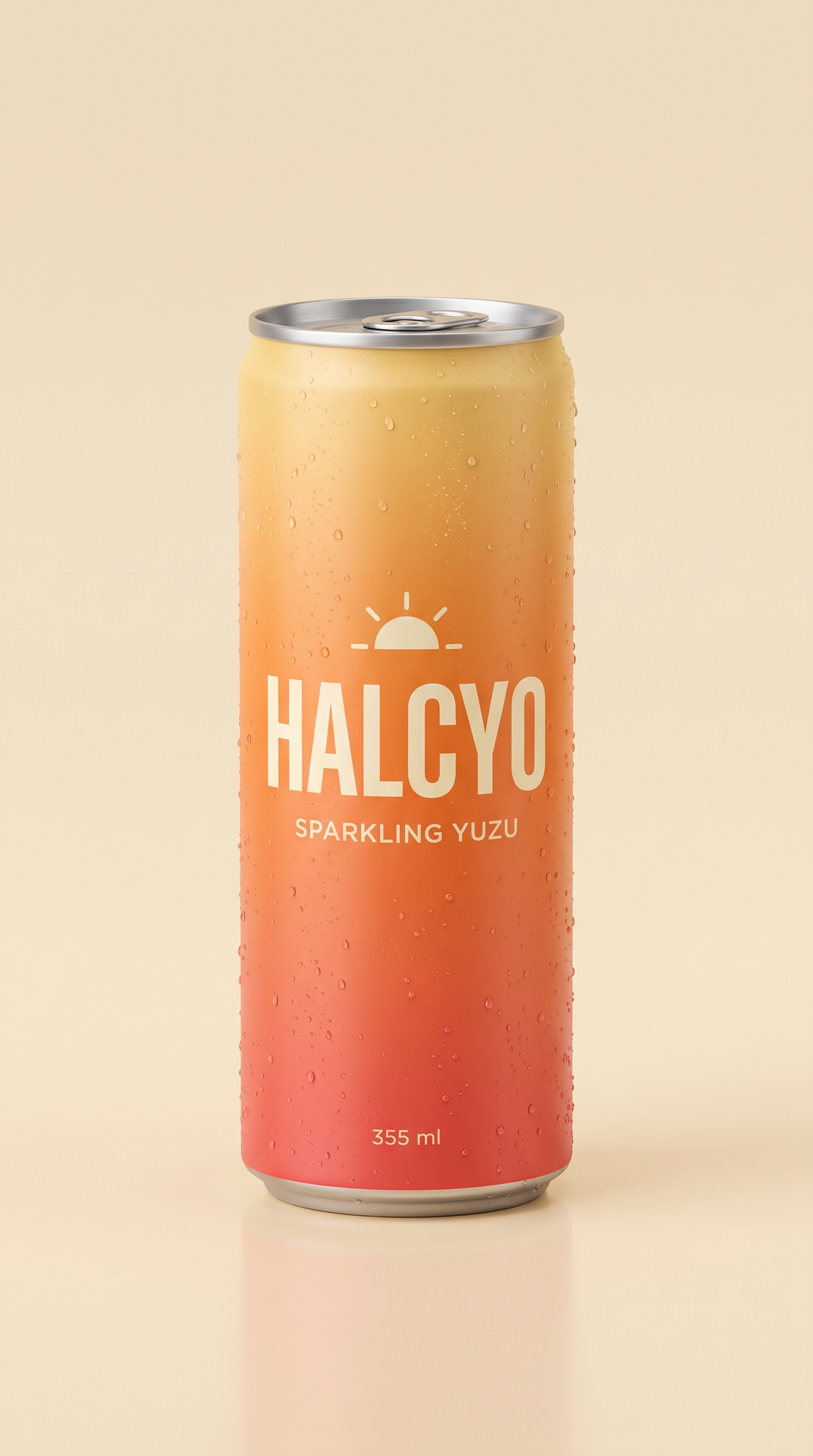
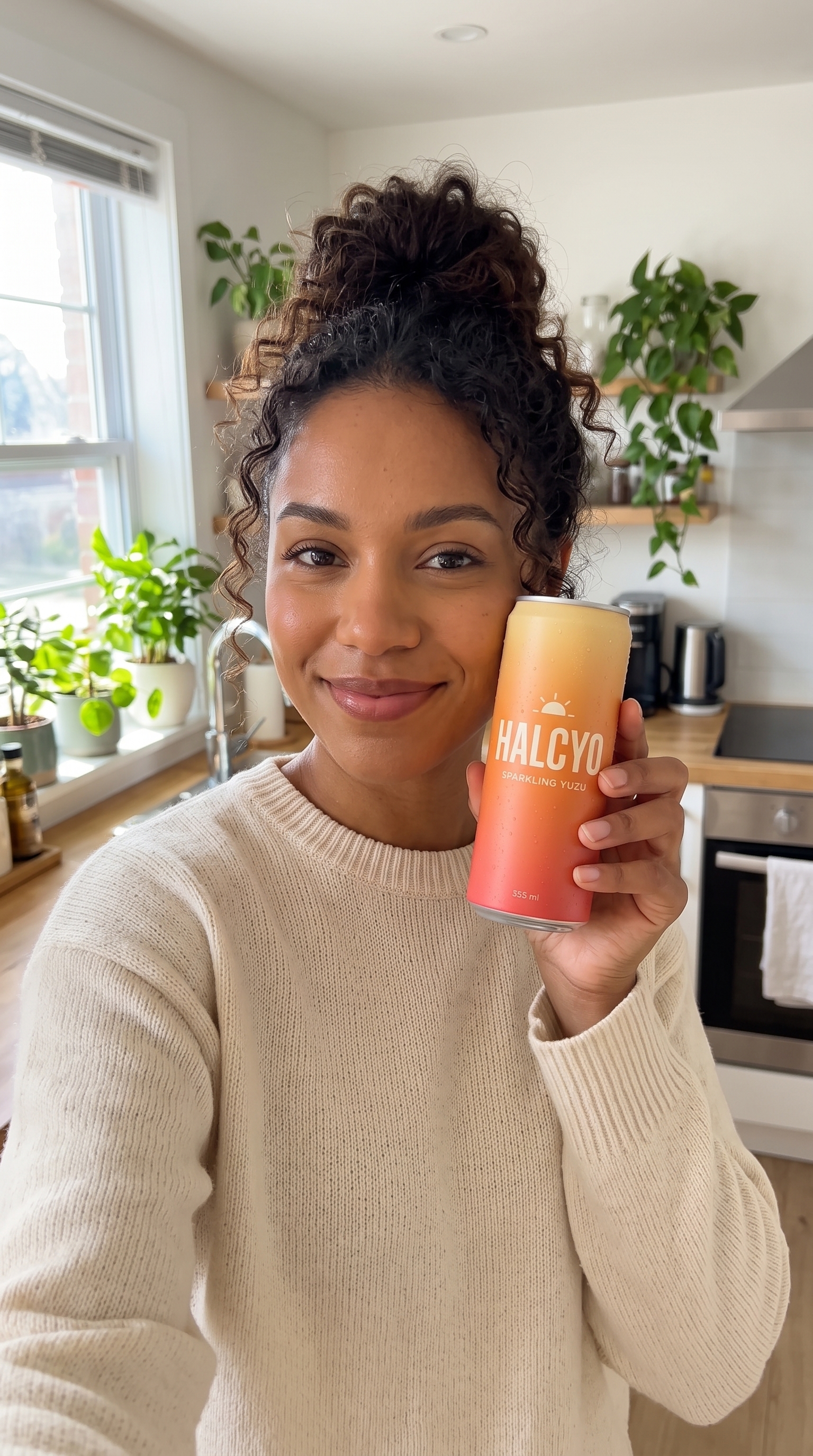
The presenter is a fictional person generated for this example, holding HALCYO, our invented drink. One selfie frame became a 10-second clip with lip-synced speech; we checked the words with a transcript and fixed one repeated phrase.
Voiceover script
“Okay, I'm obsessed with this. Halcyo sparkling yuzu. Zero sugar, and it tastes like actual citrus. My new afternoon thing.”
What it took, step by step
Step
Tool
Credits
Product reference packshot
Nano Banana 2
16
Presenter selfie frame
Nano Banana 2
16
10-second talking clip, 1080p
Gemini Omni Flash
230
Transcript to check the words
ElevenLabs Scribe
2
Total for the finished example
264 ($2.64)
Charged costs from one run on September 27, 2026: 264 credits ($2.64). Gemini Omni Flash now costs 160 for the 10-second clip, 186 in total.
Product reference
Presenter selfie frame
The workflow
How do I get video in Claude with the least setup?
01
Open the directory listing
In Claude go to Customize → Plugins, search for Creative Claw, or open its directory page, and click Add.
02
Connect and sign in
On the plugin’s Connectors tab click Connect, approve, and sign in with Google. New accounts get 100 free credits, no card.
03
Ask for a video
Describe the clip in a new chat: subject, action, length and format. Attach a photo if it should start from one.
04
Approve and watch
Claude picks a model and shows the credit estimate. After you approve, the clip plays in the chat.
Pricing
How much does it cost?
Creative Claw is pay as you go: $10 buys 1,000 credits, new accounts get 100 free credits, and no subscription is required. Typical costs for this workflow:
What you generate
Credits
Cost
5-second clip, MiniMax H3 Max Fast (768p)
40
$0.40
5-second clip, Gemini Omni Flash (720p)
50
$0.50
5-second clip, Seedance 2.5 (720p)
218
$2.18
15-second multi-scene clip, MiniMax H3 Max (768p)
240
$2.40
Image or start frame, Nano Banana 2.1 (1K)
12
$0.12
10–15 second voiceover, ElevenLabs v4
4
$0.04
Prices charged or quoted by Creative Claw on October 18, 2026. See all model prices, and ask for an estimate in Claude before you generate.
Alternatives
How does Creative Claw compare with other Claude video tools?
The tools below are the ones AI assistants most often recommend for this job. We checked each vendor’s own pages on October 15, 2026 (Creatify and Higgsfield plans rechecked October 18, 2026). “None found” means we could not find an official app in the Claude directory or on the vendor’s site. Creative Claw publishes this page.
Tool
How it gets into Claude
What you need
Cheapest way to pay
Creative Claw
Plugin in Claude’s directory: Add, Connect, sign in
A free Creative Claw account
No plan required: $10 = 1,000 credits, 100 free
Higgsfield
Custom connector by MCP address
A paid Higgsfield plan; unlimited does not apply in Claude
Creative Claw works on every Claude plan, Free included. On Pro, Max, Team or Enterprise, add it from Claude’s plugin directory. On Free, ask Claude for the Creative Claw plugin and add it from the card it shows, or add https://app.creativeclaw.co/mcp as a custom connector. Then sign in with Google.
Admins on Team and Enterprise
An Owner may need to allow plugins or add custom connectors for the workspace before members can use them.
Vendor plans still apply
A custom connector uses your account with that vendor; Higgsfield, Runway and Kling spend paid plan credits in Claude.
Can Claude make videos without installing anything?
No. Claude has no video model, so you need a plugin or connector. A directory plugin such as Creative Claw is the quickest: Add, Connect, sign in.
Do I need an API key?
Not for Creative Claw. You sign in with Google; there are no provider API keys to create or paste.
Does it work on Claude Free?
Yes. Creative Claw works on every Claude plan, Free included. On Pro, Max, Team or Enterprise, add it from Claude’s plugin directory. On Free, ask Claude for the Creative Claw plugin and add it from the card it shows, or add https://app.creativeclaw.co/mcp as a custom connector. Then sign in with Google.
Is Higgsfield in Claude’s plugin directory?
No. As of our October 2026 check, Higgsfield, Runway, Kling and OpenArt connect to Claude only as custom connectors.
What does Creative Claw cost in Claude?
The same as everywhere: a 5-second clip from 33 credits ($0.33) with Wan 3.0 at 480p, $10 for 1,000 credits, 100 free credits for new accounts, no subscription required.
How long does setup take?
About two minutes in our test on a fresh Claude account, from clicking Add to sending the first request.
Does Claude Team or Enterprise need an admin?
Often. Owners control plugins and custom connectors for the workspace, so ask yours to allow Creative Claw if you cannot add it.
Can I use the same account in ChatGPT?
Yes. Sign in with the same Google account in ChatGPT, Codex, Cursor or OpenClaw and your credits and saved assets come with you.